Features
- Stock and ETF screeners on separate Stocks and ETFs tabs
- More than 5,000 US stocks (NYSE, NASDAQ and AMEX) and thousands of ETFs, with end-of-day data
- Filters for sector, industry, market cap, valuation, dividends, growth, profitability, analyst ratings, performance and technicals
- 28 preset screens: 14 for stocks (dividend, value, growth, 52-week highs and lows, RSI, golden cross and more) and 14 for ETFs
- Save, rename, import and export your own screens; optionally reopen the last screen on start
- Back and Forward through your filter changes
- Export every matching row to Excel (.xlsx) or CSV, with number, percent and date formats and clickable symbols
- Print the results or save them as PDF, with the header row repeated on every page
- Click a symbol to open its Quotelinks overview page; right-click for its chart, financials, dividends, forecast and other pages
- Light and dark mode that follows Windows; page zoom; sharp on high-DPI monitors
- Small and fast: native Win32 program, no .NET required; no ads, no pop-ups
Screenshots
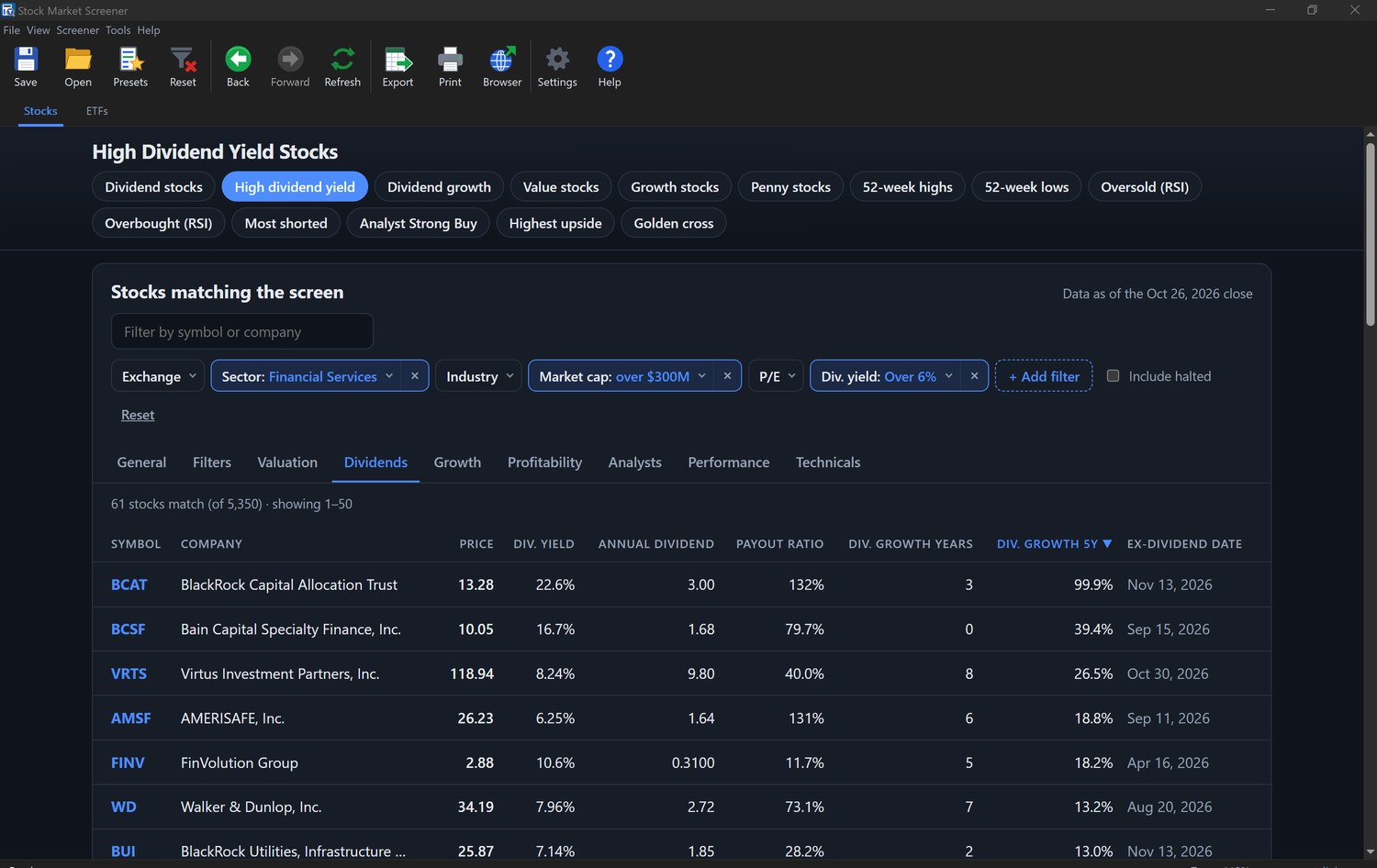
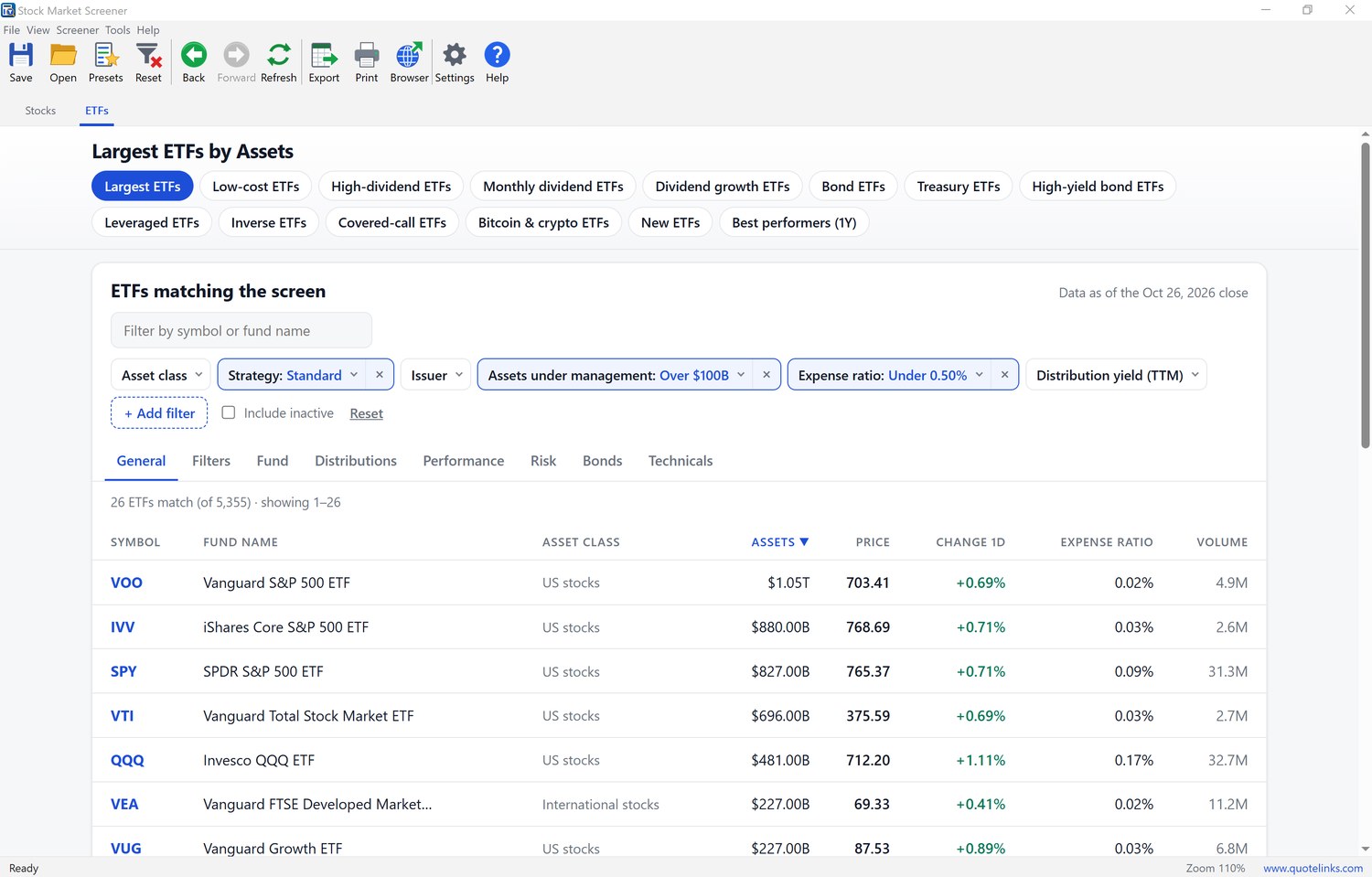
How it works
Pick a preset from the row of buttons or the Presets menu, or build your own screen: choose values from the filter drop-downs, or click + Add filter for any of the other criteria. The results update at once, and the tabs above the table (General, Valuation, Dividends, Growth, Technicals and others) switch the columns shown. Click a column heading to sort.
When a screen is worth keeping, click Save and give it a name; Open brings it back later. Export saves all matching stocks or ETFs to an Excel or CSV file, and Print opens a print preview where you can also save a PDF. Click any symbol to open its stock or ETF page on Quotelinks in your browser.
Frequently asked questions
Is Stock Market Screener free?
Yes. Stock Market Screener is freeware: no trial period, no registration, no ads and no account to create.
Which versions of Windows does it run on?
Windows 10 (version 1809 or later) and Windows 11, 32-bit and 64-bit. It uses the Microsoft Edge WebView2 Runtime, which is already part of Windows 11 and current Windows 10; if it is missing, the program tells you and opens Microsoft’s download page.
Which stocks and ETFs can I screen?
More than 5,000 US stocks listed on the NYSE, NASDAQ and NYSE American (AMEX), and thousands of US-listed ETFs, each on its own tab.
How current is the data?
The screeners use end-of-day data, updated after each US market close. The date of the data is shown above the results.
Can I export the results to Excel?
Yes. Export saves every row that matches your screen, not just the current page, as an Excel workbook (.xlsx) or a CSV file, with the columns of the current view in the current sort order.
Does it need an internet connection?
Yes. The screener data is loaded from www.quotelinks.com. Your saved screens and settings are stored on your PC.


